Tether Ventures Into AI Robotics with a €1 Billion Investment in Neura Robotics
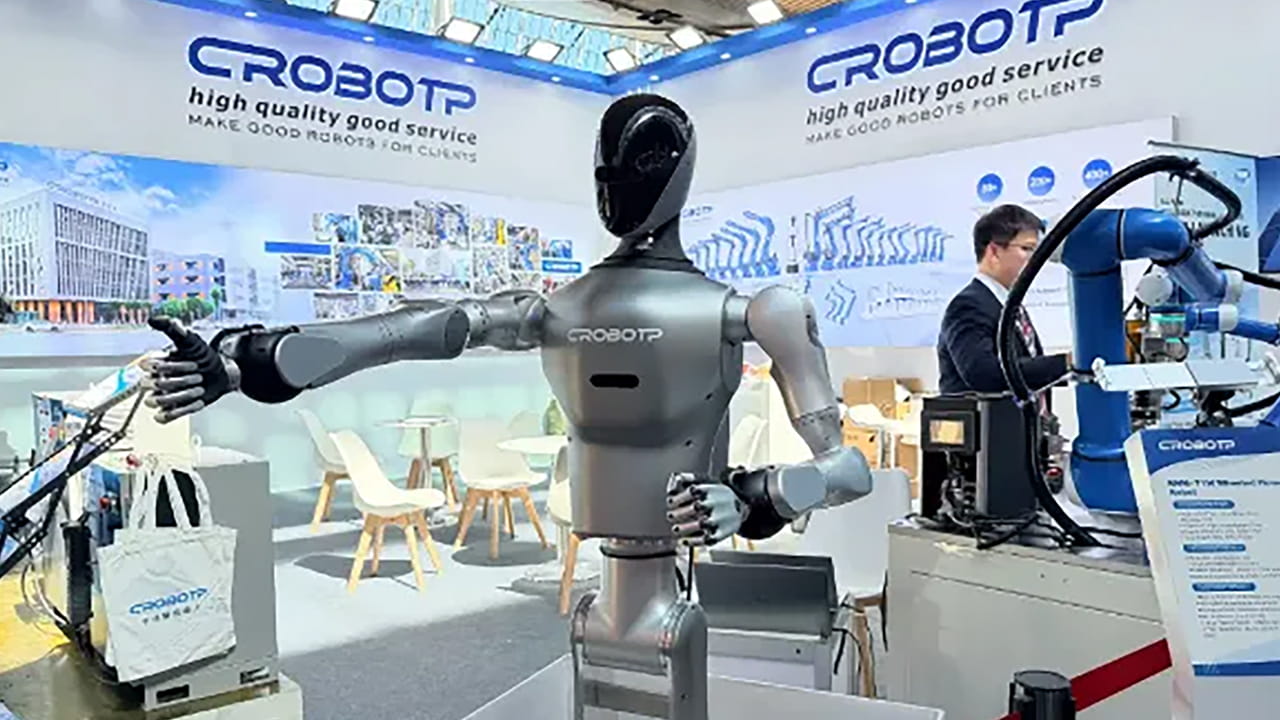
Tether, widely recognized for its stablecoin offerings, is poised to diversify its investment portfolio by committing approximately €1 billion to Neura Robotics, a pioneering German company specializing in artificial intelligence-driven humanoid robots. This strategic move signals Tether’s ambition to expand beyond digital currencies and tap into the burgeoning AI and robotics market.
Strategic Investment to Accelerate Humanoid Robot Development
The proposed capital injection aims to empower Neura Robotics as it advances the creation of sophisticated humanoid robots equipped with enhanced cognitive functions designed for practical, real-world tasks. This partnership is expected to bolster Neura’s position in a competitive landscape where innovation in AI-powered robotics is rapidly evolving.
Expanding Horizons: Tether’s Shift Toward AI and Robotics
Traditionally focused on stablecoin issuance, Tether is now broadening its scope by investing heavily in sectors that integrate artificial intelligence and robotics technologies. This diversification reflects a growing trend among fintech companies to leverage AI advancements to create new value streams and future-proof their business models.
With the global AI market projected to reach $1.8 trillion by 2030, according to recent industry forecasts, Tether’s investment aligns with the increasing demand for intelligent automation solutions across various industries, including manufacturing, healthcare, and service sectors.
Competitive Landscape and Market Potential
The humanoid robotics sector is witnessing intensified competition, with numerous startups and established firms racing to develop robots capable of complex cognitive and physical tasks. Neura Robotics’ focus on cognitive humanoid robots positions it uniquely to address applications ranging from customer service to industrial automation.
For instance, companies like Boston Dynamics and SoftBank Robotics have demonstrated the commercial viability of humanoid robots in logistics and retail environments, underscoring the vast potential for growth in this domain.
Looking Ahead: Implications for the AI-Driven Future
Tether’s investment in Neura Robotics not only exemplifies the convergence of blockchain finance and AI robotics but also highlights the increasing importance of cross-sector collaborations to accelerate technological breakthroughs. As AI continues to reshape industries, partnerships like this could pave the way for more integrated and intelligent robotic solutions that enhance productivity and human-machine interaction.
Summary of Key Points
- Tether is negotiating a €1 billion investment in Neura Robotics, a German AI robotics innovator.
- The funding will support the development of advanced cognitive humanoid robots for practical use cases.
- This move marks Tether’s strategic expansion into the AI and robotics sectors beyond its stablecoin business.
- The humanoid robotics market is highly competitive, with significant growth potential driven by AI advancements.
Register Your Account
Reset Your Password
Innovative Strategies for AI-Driven Content Insertion and Dynamic Web Interactions
Introduction to AI-Powered Content Management
Modern websites increasingly rely on artificial intelligence to dynamically insert and manage content, enhancing user engagement and optimizing performance. This article explores advanced methodologies for AI content insertion, lazy loading, and dynamic rotation of web elements, ensuring seamless user experiences and improved SEO outcomes.
Dynamic Content Injection: Techniques and Best Practices
Injecting content dynamically into web pages requires precise control over where and how elements are inserted. Utilizing JavaScript, developers can target specific DOM nodes and insert HTML fragments before, after, or within existing elements. This approach allows for flexible content updates without full page reloads.
For example, leveraging document.querySelectorAll or jQuery selectors, scripts can identify target containers and insert new content using methods like insertBefore, appendChild, or replaceWith. Ensuring that inserted content is properly sanitized and structured maintains site integrity and accessibility.
Handling Visibility and Performance
To optimize performance, scripts often check element visibility before processing. Elements with zero width or height, or those hidden via CSS, can be skipped to avoid unnecessary DOM manipulations. This visibility check enhances efficiency, especially on pages with numerous dynamic blocks.
Implementing Lazy Loading for Enhanced User Experience
Lazy loading defers the loading of non-critical resources until they are needed, significantly improving page load times and reducing bandwidth consumption. Modern browsers support the IntersectionObserver API, which detects when elements enter the viewport, triggering their loading.
For instance, images or code blocks marked with a specific class (e.g., ai-lazy) can be observed, and their content loaded only when they approach the user’s visible area. This technique is particularly effective for long pages or infinite scroll implementations.
Fallbacks and Compatibility
In environments where IntersectionObserver is unsupported, event listeners on scroll, resize, and touch events can simulate lazy loading by checking element positions relative to the viewport. Additionally, mutation observers can detect dynamically added elements requiring lazy loading, ensuring comprehensive coverage.
Advanced Content Rotation and Scheduling
Dynamic rotation of content blocks allows websites to display varied information without overwhelming the user. This can be achieved by cycling through child elements within a container, showing one at a time based on timers, user interactions, or scheduling rules.
For example, a promotional banner might rotate through multiple offers every 10 seconds, or display content based on the current hour or day of the week. This scheduling can be configured using data attributes specifying timing and grouping, enabling personalized and timely content delivery.
Group-Based Rotations and User-Specific Variations
Content rotation can also be grouped, where multiple elements share rotation states to maintain consistency across the page. User-specific rotations can be seeded with random or deterministic values to provide unique experiences, such as showing different testimonials or product recommendations.
Integrating User Interaction and Security Measures
To further refine content delivery, scripts can delay loading or rotation until user interaction is detected, such as mouse movement or key presses. This approach prioritizes critical content and defers less important elements, improving perceived performance.
Moreover, integrating security checks like reCAPTCHA scoring helps filter out bot traffic, ensuring that dynamic content is served primarily to genuine users. Scores below a defined threshold can trigger alternative content or restrict certain interactions, enhancing site security.
Conclusion: Leveraging AI for Smarter Web Content
By combining dynamic content insertion, lazy loading, rotation scheduling, and user interaction detection, developers can create highly responsive and personalized web experiences. These techniques not only improve performance and engagement but also contribute to better SEO rankings by optimizing content visibility and load behavior.
As AI technologies evolve, integrating these strategies will become increasingly essential for maintaining competitive, user-friendly websites.
Advanced Techniques for Identifying Mobile Devices, Tablets, and Operating Systems
In the evolving landscape of web development, accurately recognizing the type of device accessing your website is crucial for delivering optimized user experiences. This article delves into sophisticated methods for detecting mobile phones, tablets, and their operating systems by analyzing user agent strings and employing comprehensive pattern matching.
Understanding Device Detection Through User Agent Analysis
User agent strings provide a wealth of information about the device, browser, and operating system. By leveraging regular expressions tailored to identify specific device models and OS signatures, developers can classify devices into categories such as smartphones, tablets, or desktops.
For instance, mobile phones from brands like Samsung, LG, and OnePlus can be identified by matching patterns that include model numbers and brand names. Similarly, tablets from manufacturers such as Apple (iPad), Samsung (Galaxy Tab series), and Amazon (Kindle Fire) have distinct identifiers that can be parsed.
Comprehensive Device Pattern Libraries
Maintaining an extensive and up-to-date database of device identifiers is essential. This includes:
- Smartphones: Models from Samsung (e.g., Galaxy S21, A52), LG, OnePlus, and others.
- Tablets: Apple iPads, Samsung Galaxy Tabs, Amazon Kindles, Microsoft Surface tablets, and various Android-based tablets.
- Operating Systems: Android, iOS, Windows Phone, BlackBerry OS, and emerging platforms like Sailfish and Tizen.
Regular updates to these pattern lists ensure compatibility with new device releases and OS versions.
Detecting Mobile Browsers and Operating Systems
Beyond device models, identifying the browser and OS version enhances the ability to tailor content. Popular mobile browsers include Chrome Mobile, Safari Mobile, Firefox for Android, Opera Mini, and UC Browser. Each browser has unique user agent signatures that can be detected using regex patterns.
Operating system detection involves recognizing strings such as “Android 13,” “iOS 16,” or “Windows Phone 10.” This allows developers to implement OS-specific optimizations or feature support.
Implementing Detection Logic with Regular Expressions
Regular expressions (regex) are powerful tools for parsing user agent strings. For example, to detect Android devices, a regex might look for the keyword “Android” followed by a version number. Similarly, iOS devices can be identified by patterns including “iPhone,” “iPad,” or “iPod” along with OS version details.
Here is a simplified example of a regex pattern to detect iPads:
/iPad.*CPU.*OSs([d_]+)/iThis pattern captures the iPad identifier and extracts the OS version for further processing.
Current Trends and Statistics in Mobile Device Usage
As of 2024, mobile devices account for over 60% of global web traffic, with tablets representing approximately 10%. Android remains the dominant operating system with a market share exceeding 70%, while iOS holds around 25%. Understanding these trends helps prioritize detection efforts and optimize for the most prevalent devices.
For example, Samsung’s Galaxy series continues to lead Android device usage, while Apple’s iPad Pro models dominate the tablet segment. Emerging devices like foldable smartphones and hybrid tablets are also gaining traction, necessitating ongoing updates to detection patterns.
Practical Applications of Device Detection
Accurate device identification enables:
- Responsive design adjustments tailored to screen size and capabilities.
- Serving device-specific content or media formats to enhance performance.
- Implementing security measures based on device type and OS vulnerabilities.
- Gathering analytics to understand user demographics and device preferences.
Example: Detecting a Samsung Galaxy Tablet
Consider a user agent string containing “SM-T870,” which corresponds to the Samsung Galaxy Tab S7. A regex pattern targeting “SM-T[0-9]{3}” can identify this device, allowing the website to serve optimized layouts or features specific to this tablet.
Best Practices for Maintaining Device Detection Systems
- Regularly update device and OS pattern databases to include new releases.
- Combine user agent analysis with feature detection for robust results.
- Test detection scripts across a wide range of devices and browsers.
- Consider privacy implications and avoid intrusive tracking methods.
Comprehensive Guide to Mobile Device Detection and User Experience Optimization
Understanding Mobile Device Identification Techniques
Detecting mobile devices accurately is essential for delivering tailored user experiences. Modern detection methods analyze user agent strings, screen dimensions, and operating system signatures to classify devices as phones, tablets, or desktops. For instance, libraries like MobileDetect parse user agent data to identify device types and operating systems, enabling websites to adapt content dynamically.
In 2024, with over 60% of global web traffic coming from mobile devices, precise device detection has become more critical than ever. Techniques now incorporate caching mechanisms to improve performance by storing detection results, reducing redundant computations on repeated visits.
Key Parameters in Device Detection
User Agent Analysis
The user agent string remains a primary source for device identification. It contains information about the browser, operating system, and device model. Advanced detection tools extract multiple matches from user agent patterns to improve accuracy, considering variations across manufacturers and OS versions.
Screen Size and Resolution
Screen dimensions, particularly the smaller side of the display, help differentiate phones from tablets. For example, devices with a width less than 768 pixels are typically classified as phones. This threshold is adjustable to accommodate emerging device form factors.
Operating System Detection
Identifying the operating system (e.g., iOS, Android, Windows) allows for further customization. Detection scripts parse user agent strings to extract OS information and version numbers, enabling developers to optimize features for specific platforms.
Implementing Device Size Classification
A common approach involves defining a maximum width threshold to categorize devices. For instance, a device with a screen width below 600 pixels might be considered phone-sized, while larger screens fall into tablet or desktop categories. This classification supports responsive design decisions and content prioritization.
Recent studies show that adaptive layouts based on device size improve engagement by up to 30%, highlighting the importance of accurate size detection.
Mobile Grade and Performance Optimization
Beyond device type, assessing the mobile grade-such as network speed and hardware capabilities-helps in delivering an optimized experience. For example, a device with limited processing power or slow connectivity might receive a simplified version of the site to ensure usability.
Tools now cache mobile grade assessments to avoid repeated evaluations, enhancing load times and reducing server load.
Practical Applications and Examples
Consider an e-commerce platform that detects a user’s device as a tablet running Android 13. The site can then present a touch-optimized interface with larger buttons and streamlined navigation. Alternatively, if the device is identified as a low-end phone, the platform might serve compressed images and limit animations to improve performance.
Another example is a news website that adjusts font sizes and layout based on device detection, ensuring readability across all screen sizes without manual user adjustments.
Future Trends in Device Detection
With the rise of foldable devices and hybrid form factors, detection algorithms are evolving to consider dynamic screen sizes and orientations. Additionally, privacy-focused browsers are limiting access to user agent data, prompting the development of alternative detection methods such as client hints and feature detection.
Incorporating machine learning models to predict device capabilities based on behavioral data is an emerging trend, promising even more personalized user experiences.
Summary
Accurate mobile device detection is a cornerstone of modern web development, enabling responsive design, performance optimization, and enhanced user engagement. By leveraging user agent analysis, screen size classification, and mobile grading, developers can create adaptive experiences that meet the diverse needs of today’s users.
Innovative Web Tracking and Lazy Loading Strategies to Boost Site Efficiency
Understanding Modern Web Tracking Mechanisms
In today’s digital landscape, precise tracking of user interactions and page views is essential for optimizing website performance and user experience. Advanced tracking systems utilize a combination of viewport detection, cookie management, and asynchronous data transmission to monitor user behavior effectively.
For instance, viewport width detection helps tailor content delivery based on device screen size, ensuring that advertisements and interactive elements are displayed appropriately. This dynamic adjustment enhances engagement metrics and provides valuable insights into user preferences.
Comprehensive Click and Impression Tracking
Click tracking has evolved beyond simple event listeners. Modern implementations deploy sophisticated algorithms that detect user interactions within nested elements, ensuring accurate attribution of clicks even in complex DOM structures. This approach prevents duplicate event logging and improves data reliability.
Impression tracking complements click data by recording when specific elements become visible within the user’s viewport. By combining these metrics, website owners can better understand content effectiveness and optimize layout accordingly.
Cookie Management and Data Persistence
Effective cookie handling is crucial for maintaining session continuity and tracking user engagement over time. Advanced scripts manage cookie lifecycles by decrementing counters and refreshing expiration dates based on user activity, thereby balancing data accuracy with privacy considerations.
For example, cookies may store impression counts or interaction timestamps, which are updated asynchronously to minimize performance impact. This ensures that tracking data remains current without disrupting the browsing experience.
Lazy Loading: Enhancing Performance and User Experience
Lazy loading has become a cornerstone technique for improving page load times and reducing bandwidth consumption. By deferring the loading of images, iframes, and other heavy resources until they are about to enter the viewport, websites can deliver content more efficiently.
Recent implementations utilize mutation observers to detect dynamically added content, automatically applying lazy loading to new elements. This ensures that even content loaded after the initial page render benefits from optimized loading strategies.
For example, a news website might load article images only as the reader scrolls down, significantly speeding up the initial page display and reducing server load.
Integrating Third-Party Analytics and Privacy Compliance
Incorporating external analytics services, such as Quantcast, allows for comprehensive audience measurement and targeted advertising. These integrations are designed to load asynchronously, preventing delays in page rendering.
Moreover, modern tracking scripts are developed with privacy regulations in mind, offering mechanisms to anonymize data and respect user consent preferences. This balance between data collection and user privacy is critical in maintaining trust and compliance.
Practical Implementation Tips for Developers
- Use asynchronous JavaScript loading to prevent blocking the main thread.
- Employ viewport-based triggers to initiate tracking and lazy loading only when necessary.
- Leverage mutation observers to handle dynamically injected content seamlessly.
- Implement robust cookie management to maintain accurate session data without compromising privacy.
- Test tracking and lazy loading across various devices and browsers to ensure consistent performance.
Conclusion
By adopting advanced tracking and lazy loading techniques, website owners can significantly enhance user engagement and site performance. These strategies not only provide deeper insights into user behavior but also contribute to faster load times and improved overall experience.
Staying updated with the latest developments in web optimization ensures that your site remains competitive and user-friendly in an ever-evolving digital environment.